
Remote access · Terminal
BetaMagnus
From server login to packet analysis, in one window.
SSH, Telnet and serial terminals, SFTP, port forwarding and packet analysis in one app — plus an AI that runs on your own GPU, executes commands for you and reads the results.
- Windows 10 · 11 (64-bit)
- No sign-in required
- Automatic updates
- Korean · English
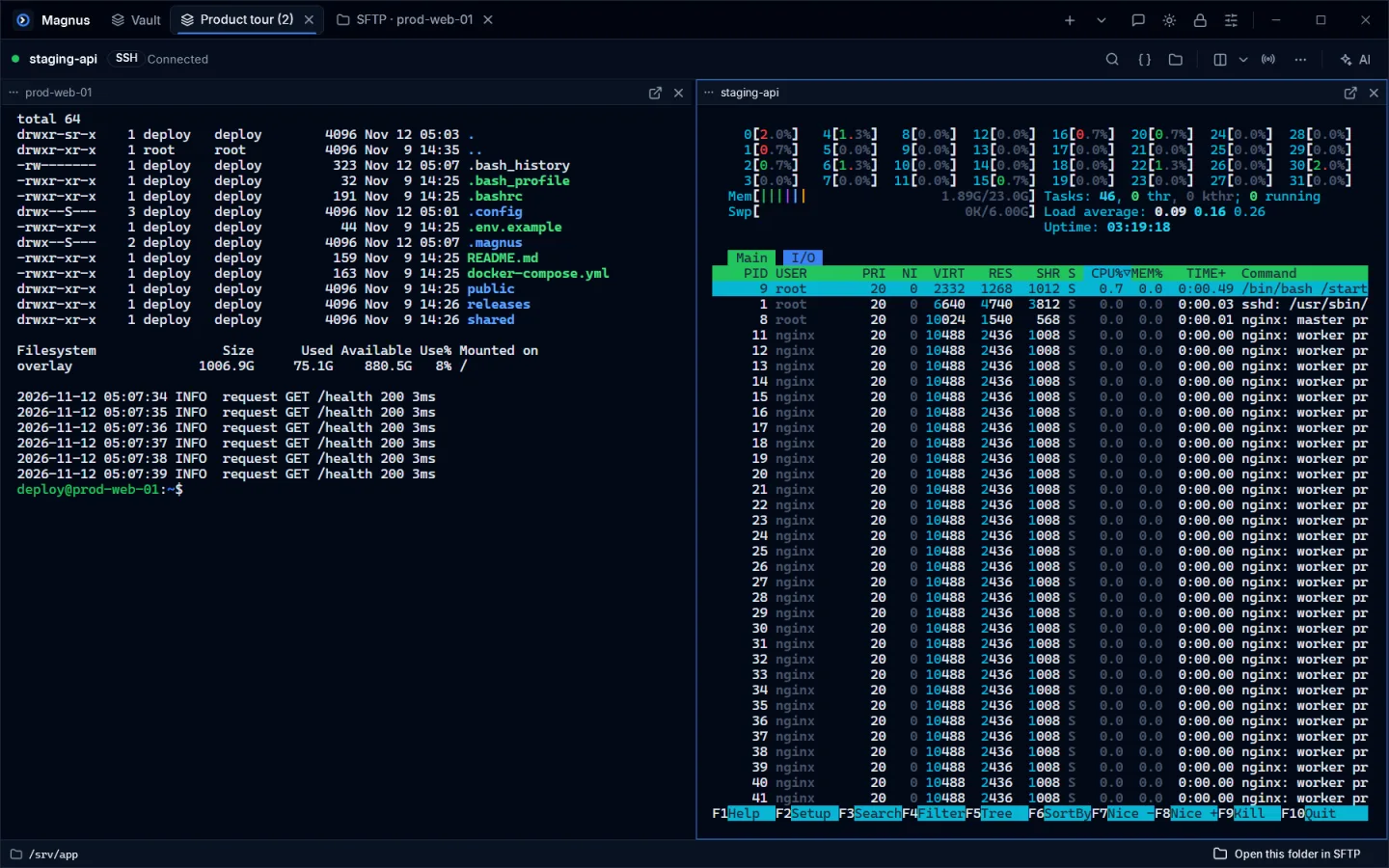
Terminal
SSH, Telnet, serial and local PowerShell. Up to six split panes.
SFTP
Your PC and the server in two panes. Drag to upload and download.
Packet analysis
Capture straight from the server and narrow it down with filters.
Local AI
From running commands to reading packets. Your data never leaves the PC.
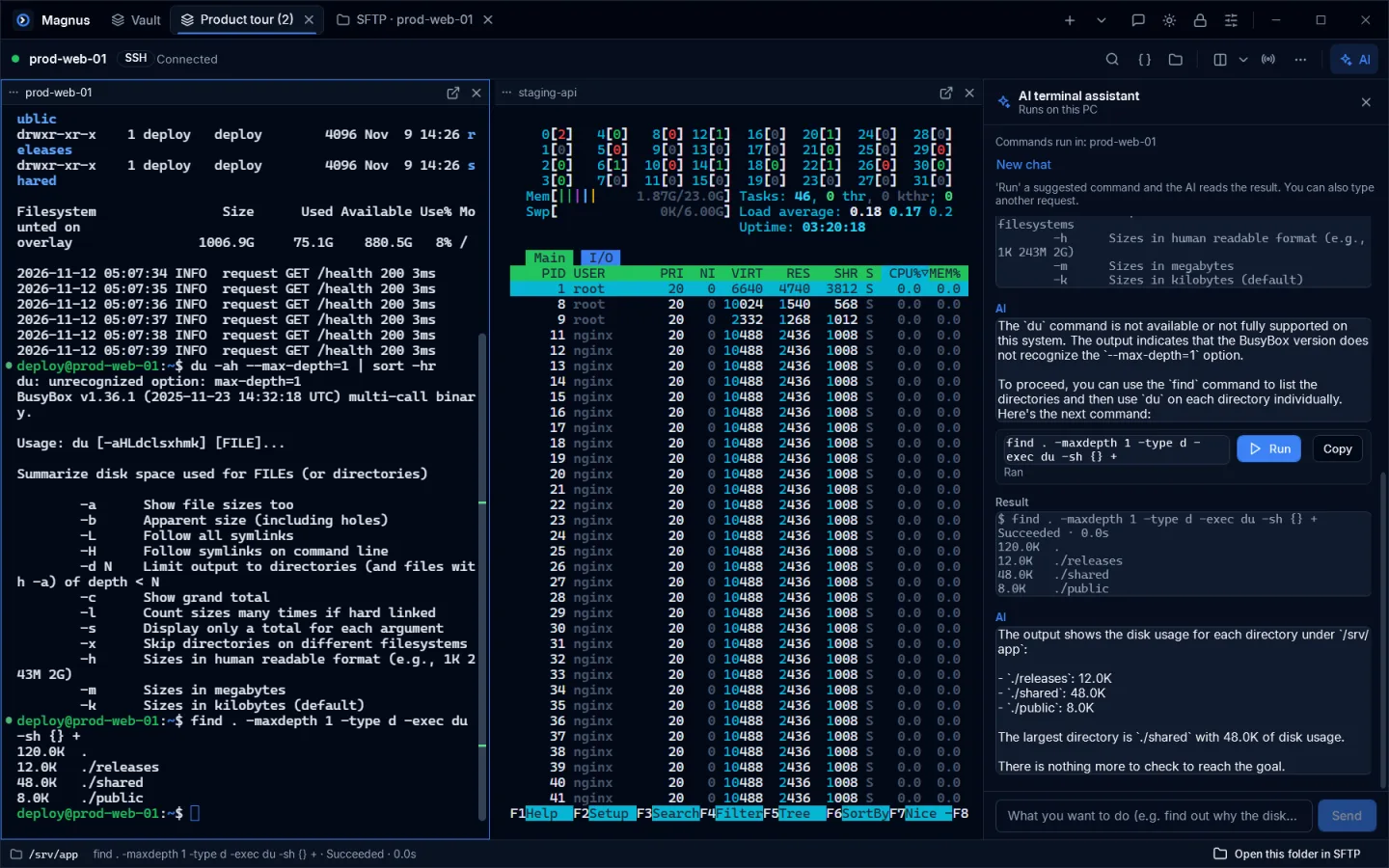
AI terminal assistant
Say what you need — the AI runs it and reads the result
Type something like “find the folders using the most disk space”. The AI proposes a command, runs it, reads the output and carries on. Anything that deletes or changes data asks first.
- Runs on your GPU with llama.cpp — nothing is sent to the cloud
- Reads errors and suggests a fixed command when something fails
- AI packet analysis explains captures in plain language
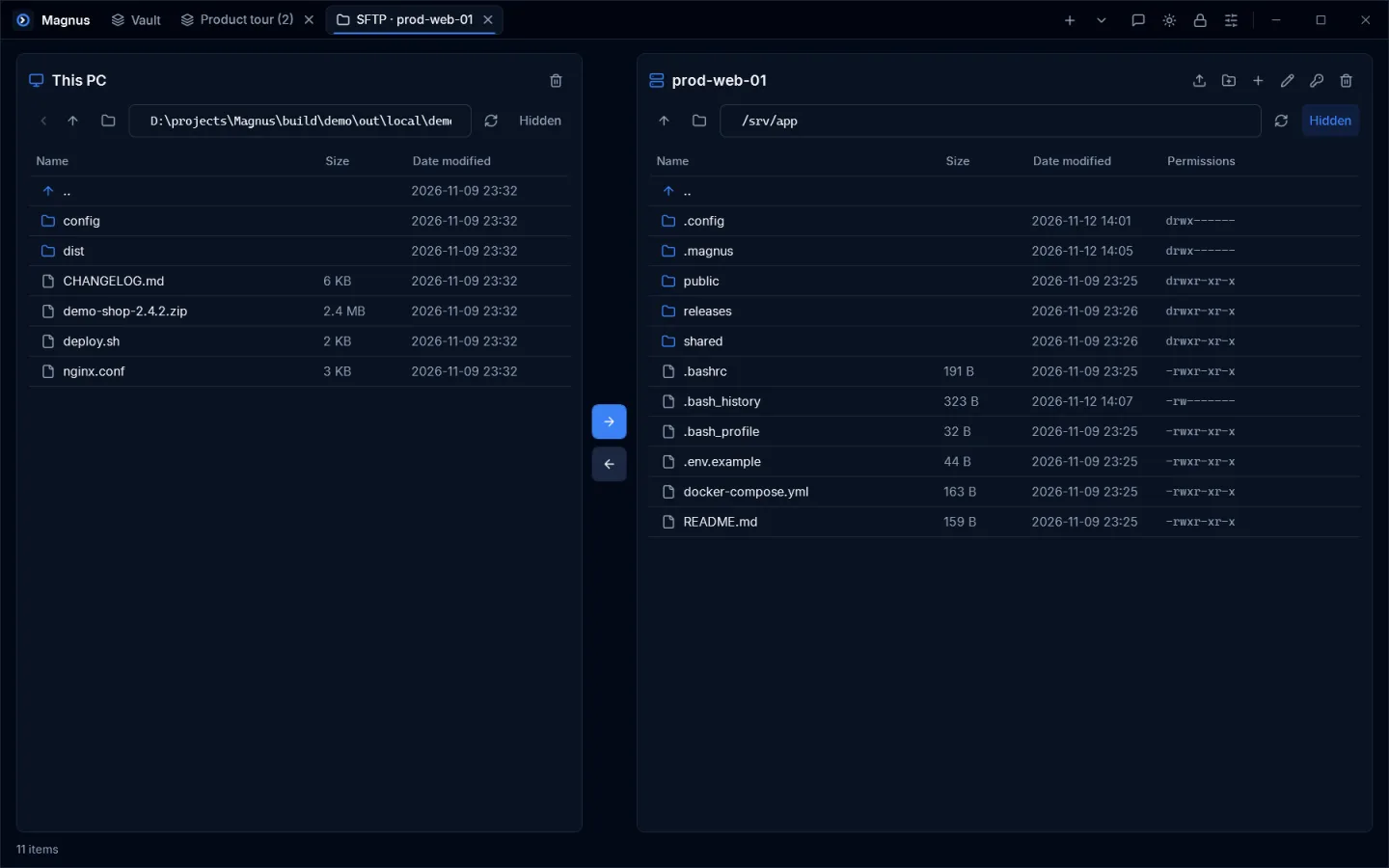
SFTP
Move files with a drag
See your PC and the server side by side and drag between them or from Explorer. Open a remote file in your usual app — saving uploads it automatically.
- Transfer queue with progress, whole-folder transfers
- chmod, rename, new folder
- Open the terminal’s current folder in SFTP
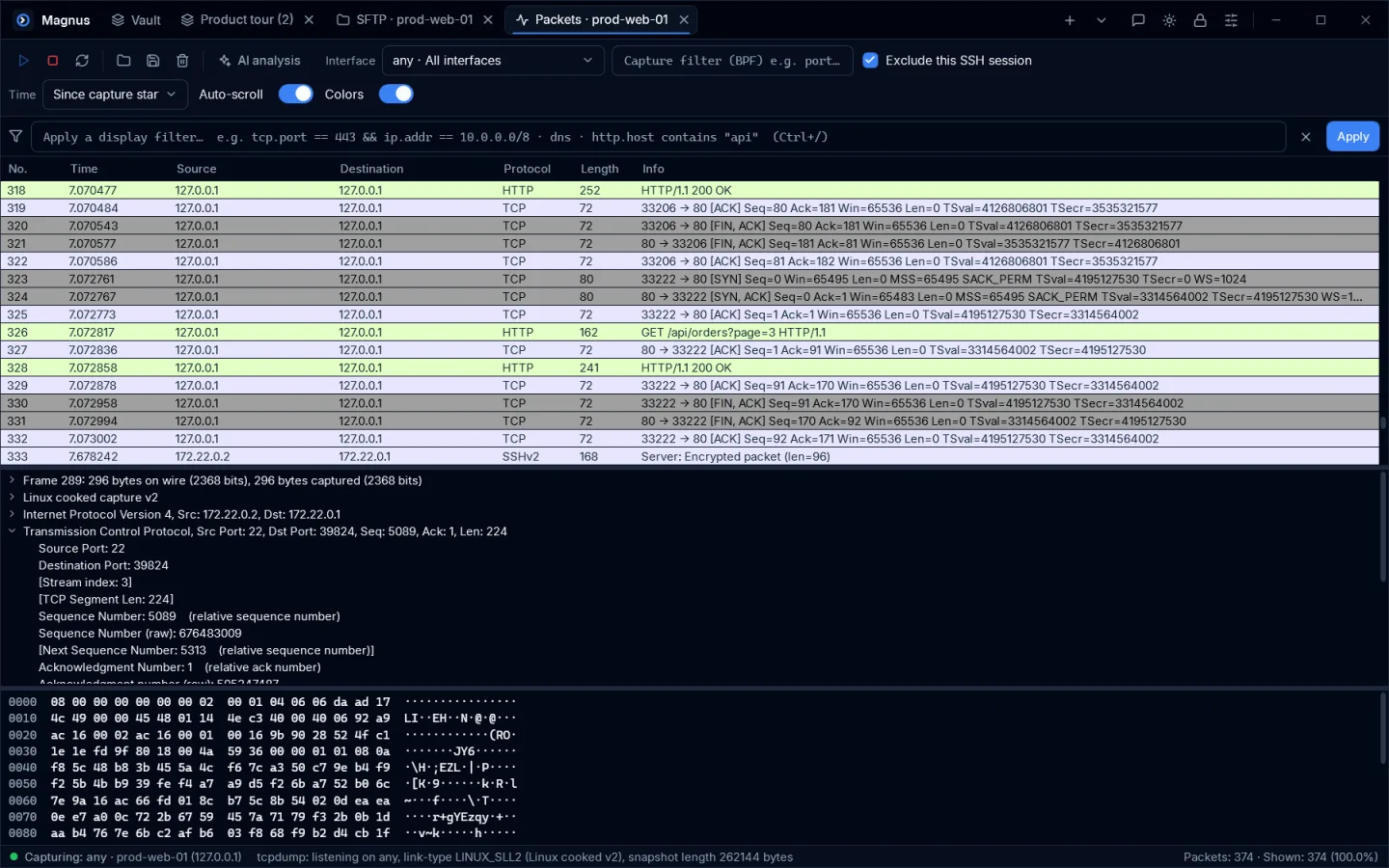
Packet analysis
Capture on the server, inspect on the spot
Capture with tcpdump on the connected server (uploaded with your consent if missing), then drill down with display filters, a detail tree and hex view. Open and save pcap files too.
- Local capture (Npcap) and opening pcap files are free
- TCP conversations · TRDP railway protocol decoding (Pro)
- AI summarizes captures and points out anomalies
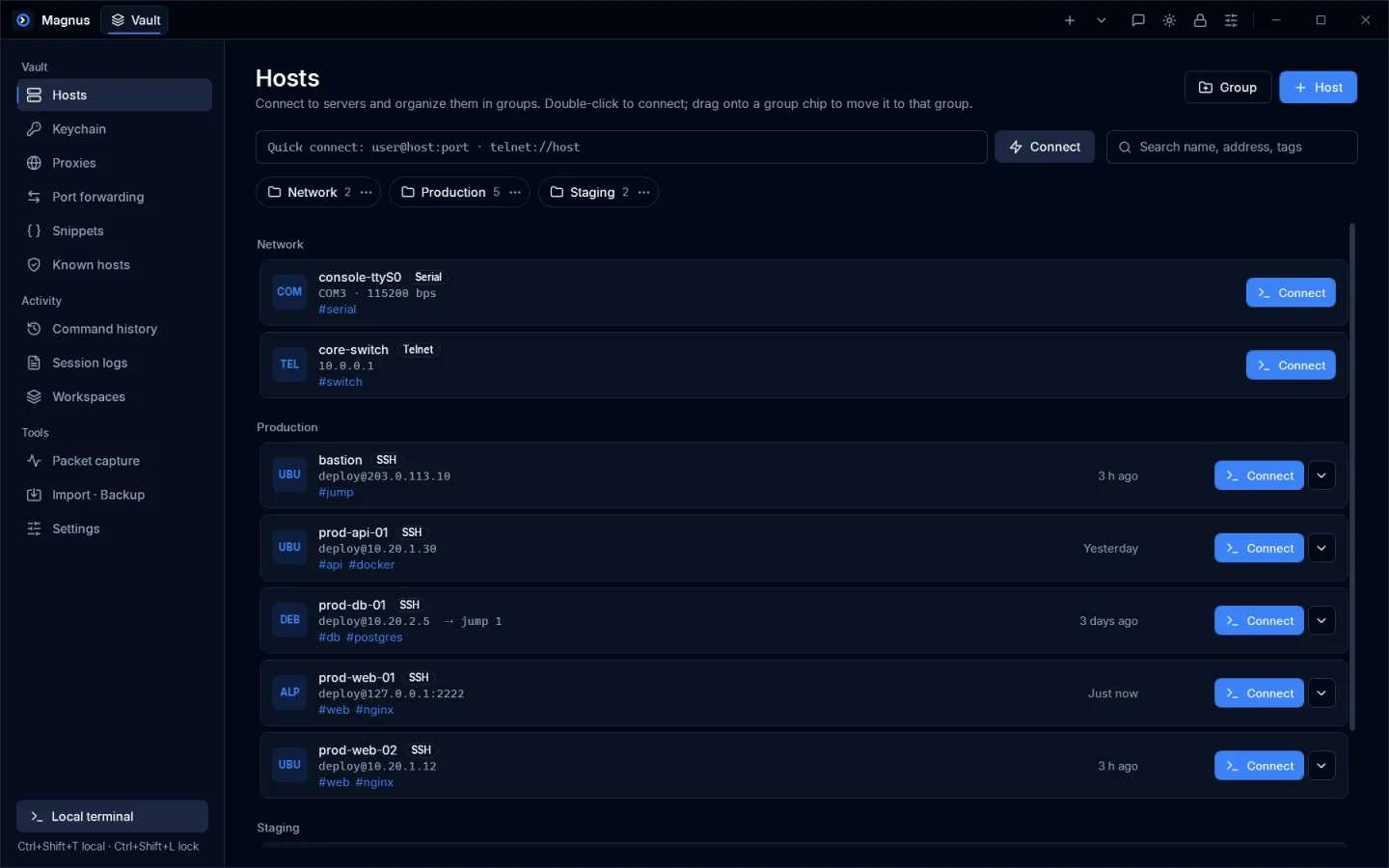
Host management
Dozens of servers, still tidy
Groups, tags, identities and SSH keys in one place. Import ~/.ssh/config and servers from AWS, Azure and DigitalOcean (Pro); sign in to sync only what you choose across your PCs.
- Jump-host chains, SOCKS/HTTP proxies, port knocking
- Key generation, ssh-copy-id, FIDO2 security keys
- Password-encrypted backups and app lock
Pricing
Pay only for what you need
Free
Free
No sign-in · commercial use OK
- SSH · Telnet · serial · SFTP · port forwarding
- Local AI assistant and AI packet analysis — no subscription
- Sync up to 5 devices
Pro
$7 / month
20% off yearly · 60-day free trial
- Everything in Free + unlimited device sync
- Broadcast input · workspaces · snippet automation
- Server packet capture · session replay · cloud server import
Prices in US dollars. The trial needs no card and never auto-charges.
Join the Magnus beta
Install and use it right away, no sign-in. Send feedback straight from the app.
Download for WindowsWindows